In this guide
Building a page doesn’t mean starting from a blank canvas and a design instinct you might not have - the site builder drafts a starting point for you, then gets out of the way.
Starting a page
From Site → New page, describe what you want in a few words - “a homepage for my barbershop” or “a page showing my before-and-after work” - and a first draft is generated for you: layout, sections, and placeholder copy already arranged around what you described.
The drag-and-drop canvas
From there, the canvas is yours to rearrange - move sections up or down, swap one type of block for another, add or remove them entirely. Nothing about the AI-drafted starting point is fixed; it’s a first pass to edit, not a template you’re locked into.
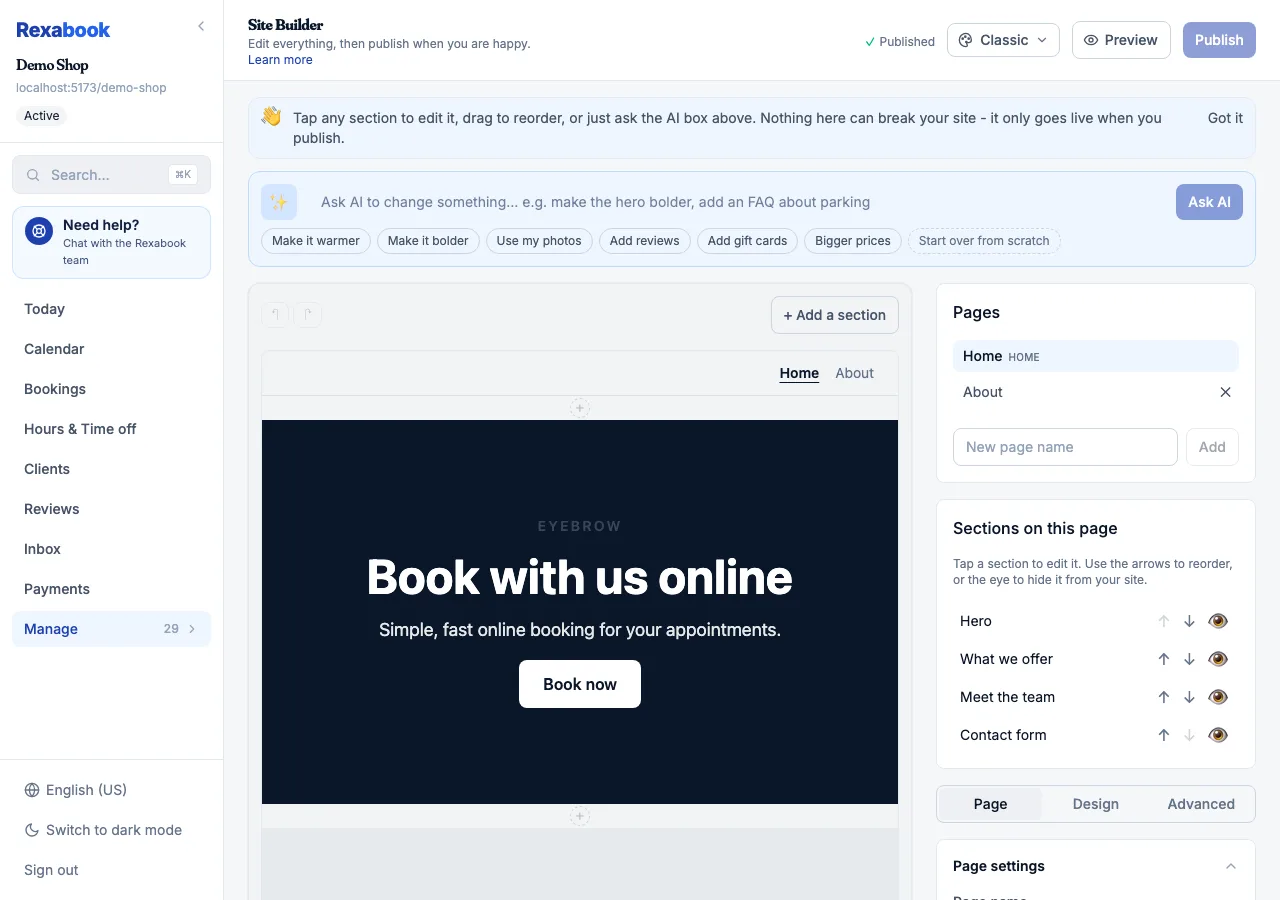 The canvas, page list, and settings panel - what you’re looking at while you edit.
What goes on a page
Pages are built from a set of content block types - About, FAQ, Before & After, Promo, and more - each suited to a different kind of content. See Rich content blocks for what each one is for.
Publishing
A page stays private while you’re working on it and goes live from Site → Publish when you’re happy with it. Published pages sit alongside your booking page under your business’s URL, or your custom domain if you’ve set one up.